
Echo: English Shadowing
Speak like the videos you love.
Echo turns the English videos you already watch into speaking practice. Repeat phrase by phrase, get a word-by-word score, and build a habit in five minutes a day.
Free to start · iPhone & iPad
Shadow anything you enjoy
- YouTube videos
- Audio & video files
- Daily suggested sentences
- Share from other apps
Everything you need to start speaking
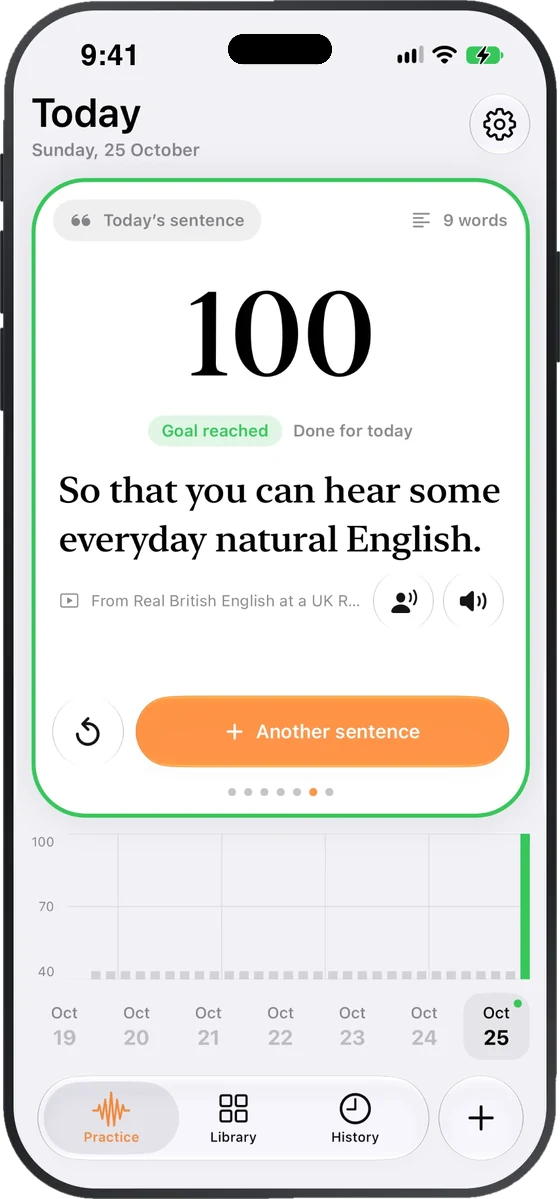
Open Echo and your sentence for today is waiting, pulled from real videos. Say it, hit the goal, and call it a day. Want more? Grab another sentence.
- A fresh sentence every day
- Daily goal of 80, clear at a glance
- Five minutes is enough
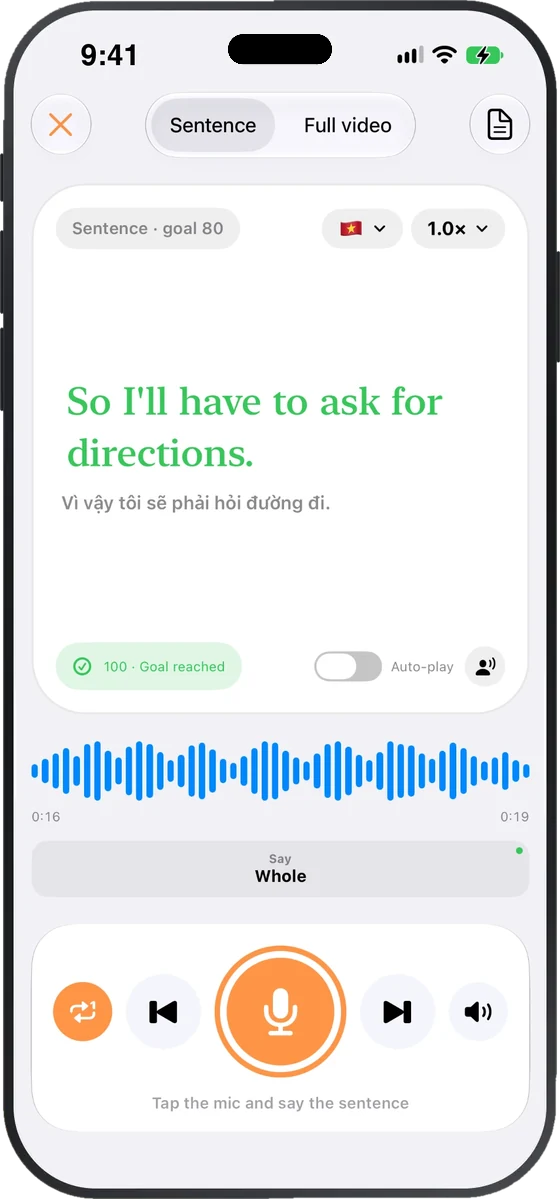
Tap the mic and repeat the sentence. Echo checks each word and shows you how you did. Listen back to your own voice, then try again.
- Word-by-word feedback
- Replay yourself next to the speaker
- Scoring runs on your device
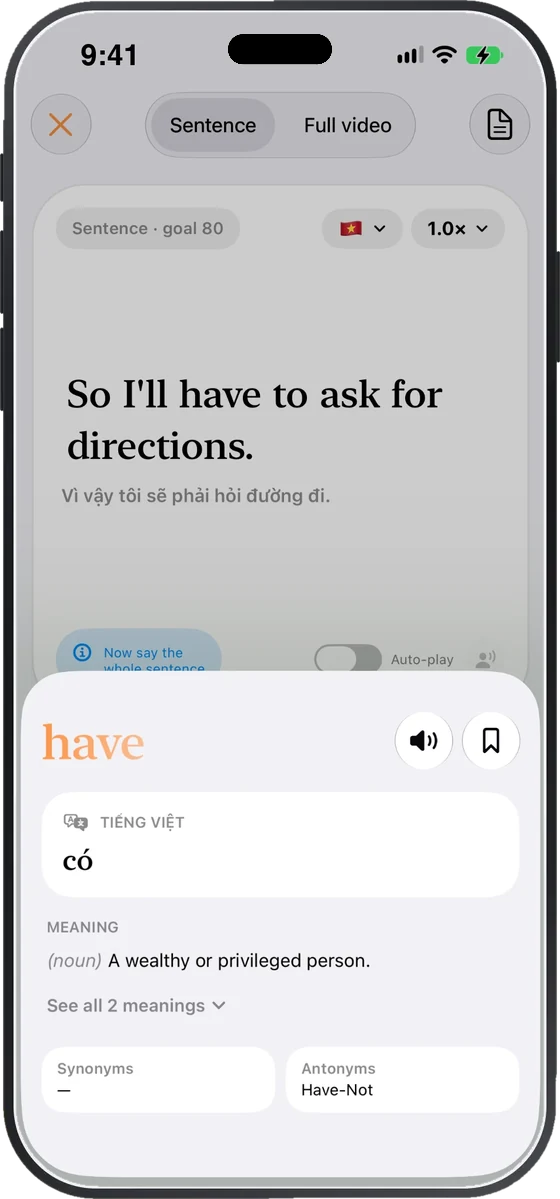
Stuck on a word? Tap it for the meaning, a translation in your language, synonyms and antonyms. Save it for later and keep going.
- Dictionary meanings in context
- Translations (shown here in Vietnamese)
- Hear it again, save it for review
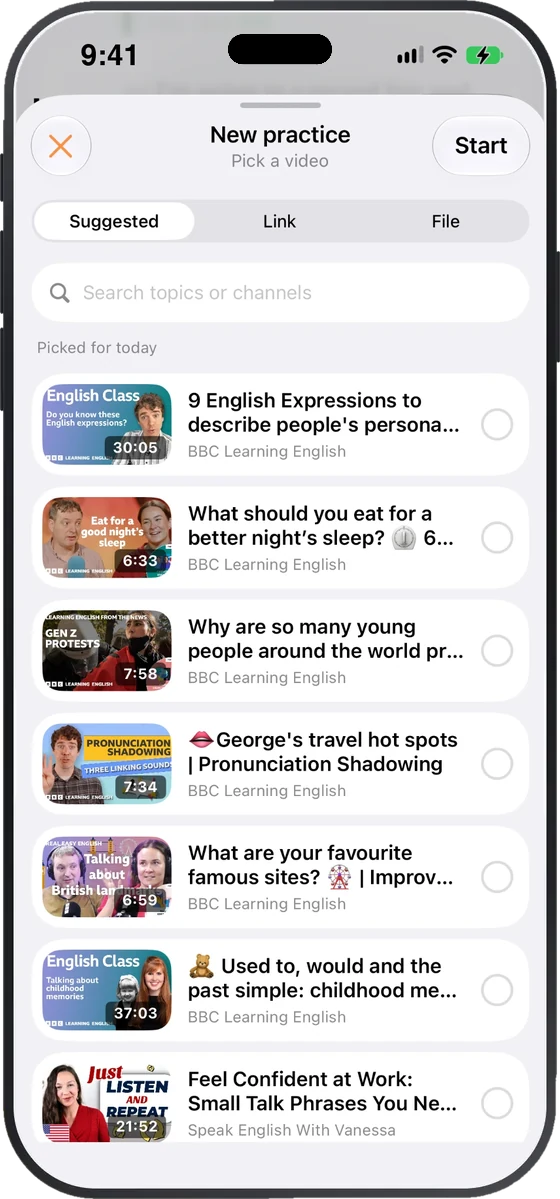
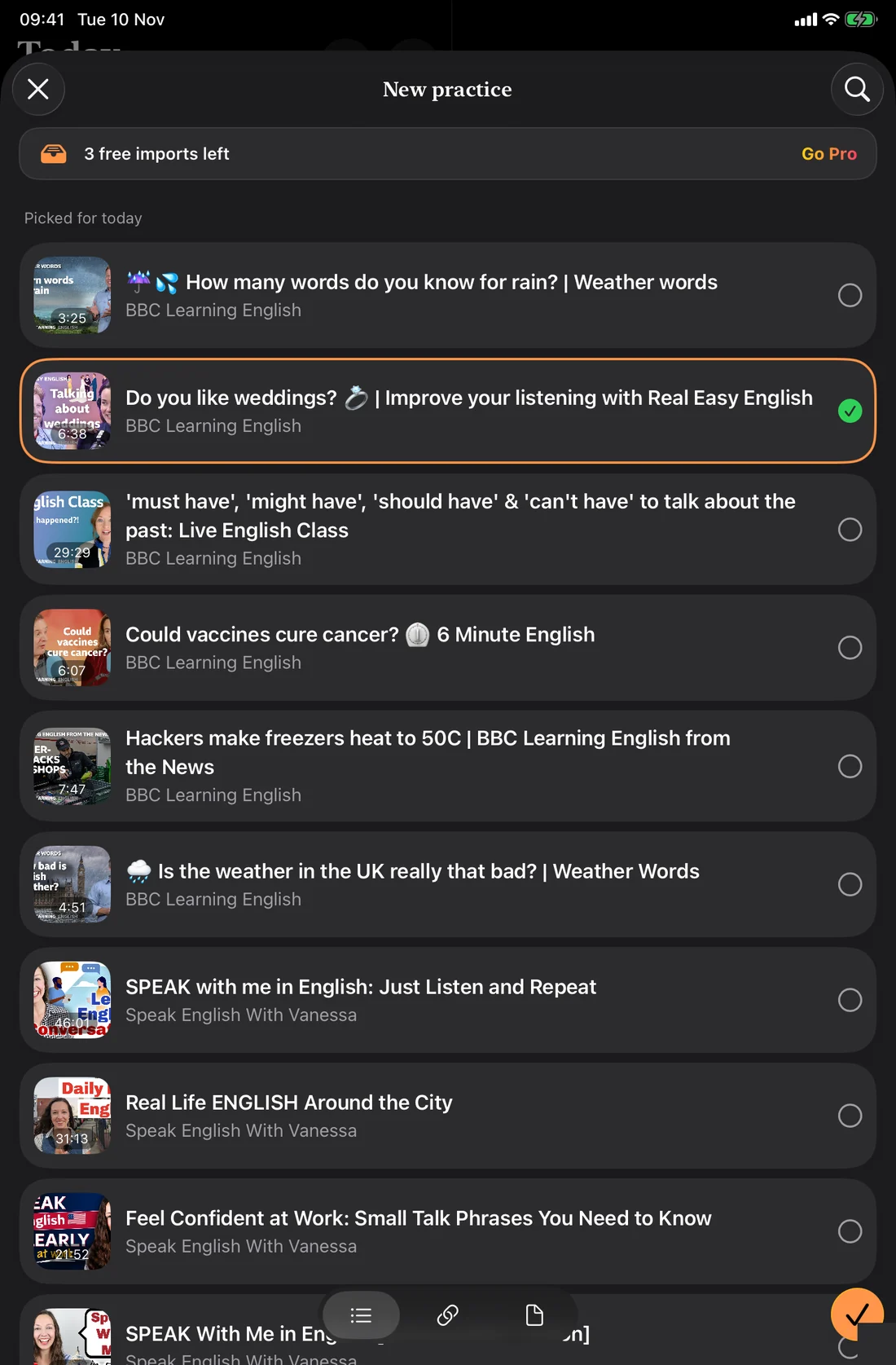
Pick from today's suggestions, paste a link, or import a file. Echo splits it into sentences and phrases so you can shadow it one piece at a time.
- Suggested videos picked for today
- Paste a link or add a file
- Practice sentence by sentence
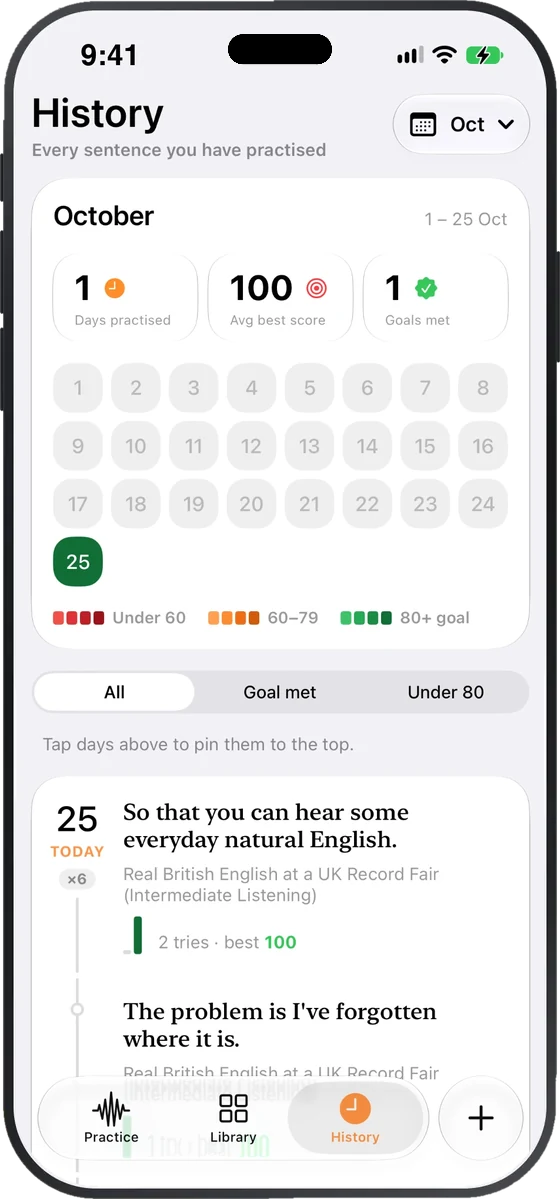
Your history shows each day, each sentence and your best score. Colour-coded days make it easy to see the habit forming.
- Monthly calendar with score colours
- Days practised, average best, goals met
- Pin days to review what you said
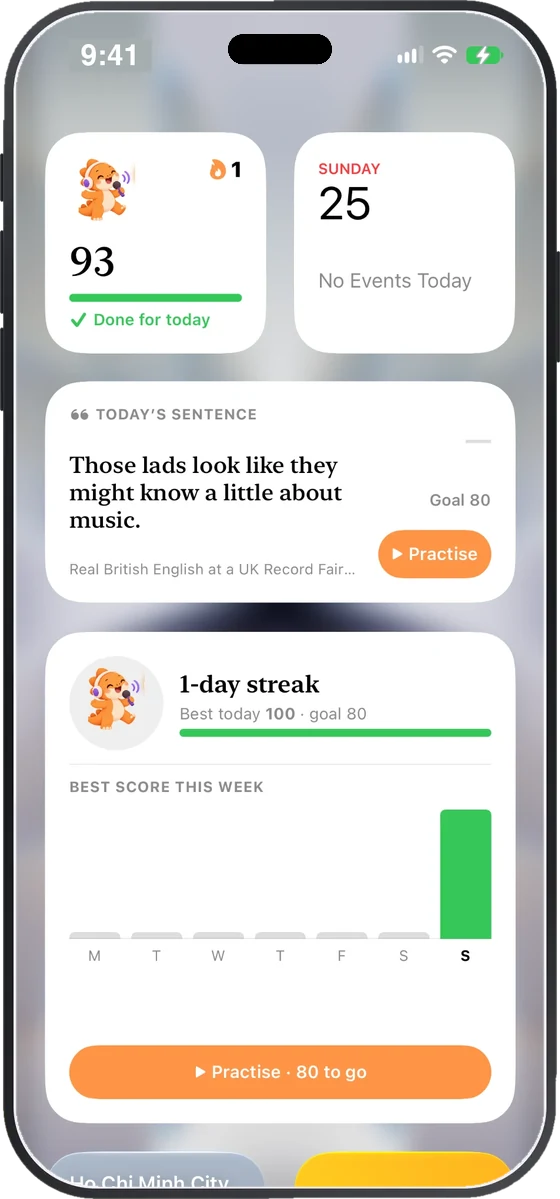
Keep today's sentence, your streak and your best score of the week one glance away. Tap to jump straight into practice.
- Today's sentence widget
- Streak and weekly score charts
- A dino that cheers you on
iPhone and iPad
Room to practise on iPad
On iPad, Echo opens up into a split view. Your daily sentence and history stay on the left while the practice you are working on fills the right.
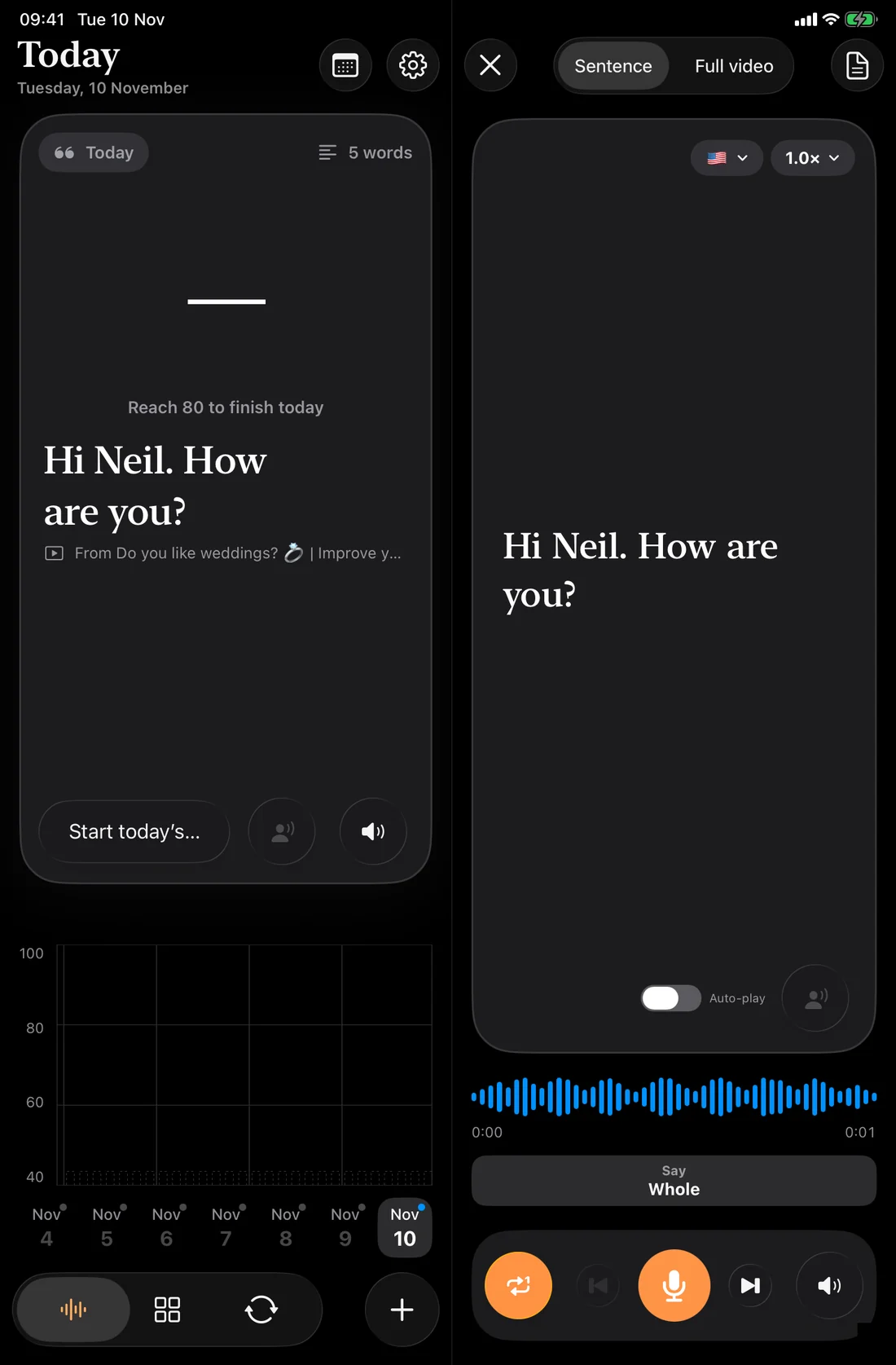
- Split-view layout
- Practice beside your history
- Bigger video picker
Your practice buddy
A little dino that grows as you do
Keep practising and your dino evolves through eight stages, from a sleepy egg to a full Echo master.
 1Seed egg
 2Awakening
 3Hatchling
 4First steps
 5Listener
 6Speaker
 7Performer
 8Echo master
Three steps. Five minutes.
Pick something you like
A YouTube video, a file, or today's suggestion.
Repeat it, phrase by phrase
Listen, then say it back. Slow it down if you need to.
See your score
Word-by-word feedback. Hit 80 and the day counts.
Free to start
Free
Build the daily habit.
- Daily sentence
- Word-by-word scoring
- Tap-to-translate word sheet
- History and streak
- Limited video imports
Echo Pro
For learners who want more.
- Everything in Free
- Unlimited imports
- And more as Echo grows
Questions, answered
What is shadowing?
Shadowing means listening to a native speaker and repeating right after them, copying the rhythm and sound. Echo breaks a video into short phrases so it is easy to do.
Which content can I practise with?
Choose a suggested video, paste a YouTube link, or import a file. You also get a new sentence every day.
How is my speaking scored?
Echo scores each word you say and shows the result word by word. The goal is 80. It checks words only: it does not score sounds, stress or rhythm.
Is my voice recording private?
Scoring runs on your device, so your audio stays with you.
Is Echo free?
Echo is free to start. Echo Pro unlocks unlimited imports and more.
Which devices does it work on?
Echo works on iPhone and iPad. On iPad it uses a split-view layout so you can practise beside your history.
Five minutes a day. Start today.
Pick a video you love and say your first sentence.
Download on the App Store